An alternative to defining a user with a password in the database is to use IAM authentication to generate a temporary “password” that is valid for a predefined time. This process is defined in this blog post. All the commands were executed on an AWS EC2 Linux server using PSQL.
Create a user without a password
Connect to the database as a super user and create a user with the below SQL statement:
create user temp_creds_user password disable;
If the user currently exists in the database with a password and you want to change to IAM authentication, alter the user with the below SQL statement:
alter user temp_creds_user password disable;
Access to get credentials
In order to get the temporary credentials, we need to call get-cluster-credentials which requires redshift:GetClusterCredentials access. This is documented at this link.
Generate the temporary credentials
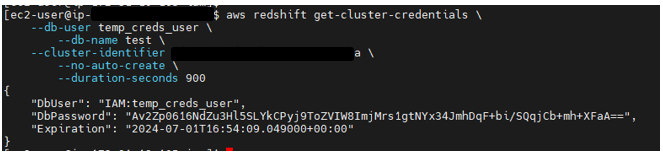
Generate temporary credentials with the below command:
aws redshift get-cluster-credentials \
    --db-user temp_creds_user \
    --db-name  \
    --cluster-identifier  \
    --no-auto-create \
    --duration-seconds 900
The above command will generate output similar to:
Connect to the database
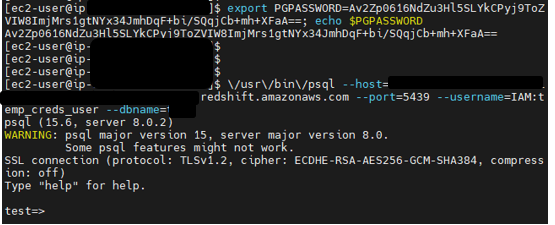
Connect to the database with the below command. Note that the name of the database user has been prefixed with “IAM:”
\/usr/\/bin\/psql --host=--port=5439 --username=IAM:temp_creds_user --dbname=
The above command will generate output similar to: